

If someone asks for your Mexican tax status certificate, you can obtain it directly from SAT at no charge. The document is called the Constancia de Situación Fiscal. It lists the identity details, tax address, activities, regimes and obligations registered under your RFC.
First check why the document is needed. For an invoice, you can provide the required tax details without sending the full PDF. SAT confirms that an issuer cannot make delivery of the certificate a condition for issuing an invoice. To check tax compliance, consult the separate compliance opinion.
Four ways to obtain the certificate
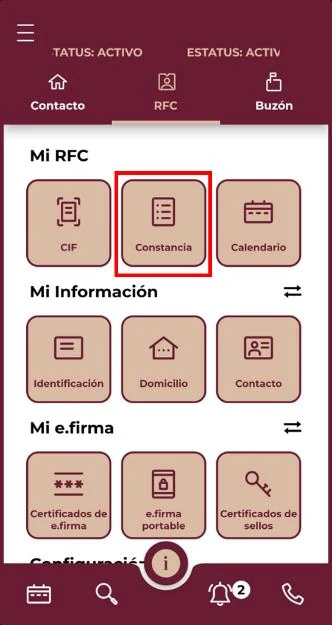

| Route | Access | Result |
|---|---|---|
| SAT portal | RFC and Password or e.firma. | Immediate PDF download. |
| SAT Móvil | RFC and Password. | Certificate available in the app. |
| SAT ID | Adult individual, official ID, email, video and signature. | SAT responds through the registered email. |
| SAT office | Current official ID. | Assistance and printed or electronic record under the service procedure. |
The current SAT procedure page states that the office route does not require an appointment. Check the service page before traveling because local access conditions can change.
Download through the SAT portal
- Open Generate your tax-status certificate.
- Select the online option.
- Enter the RFC and Password, or use e.firma.
- Generate the certificate.
- Download the PDF and verify that it opens.
- Save it with the issue date in the file name.
Use a device you control. Do not send the Password or e.firma files to a customer, employer or accountant merely so they can download the document.
Use SAT ID without Password or e.firma
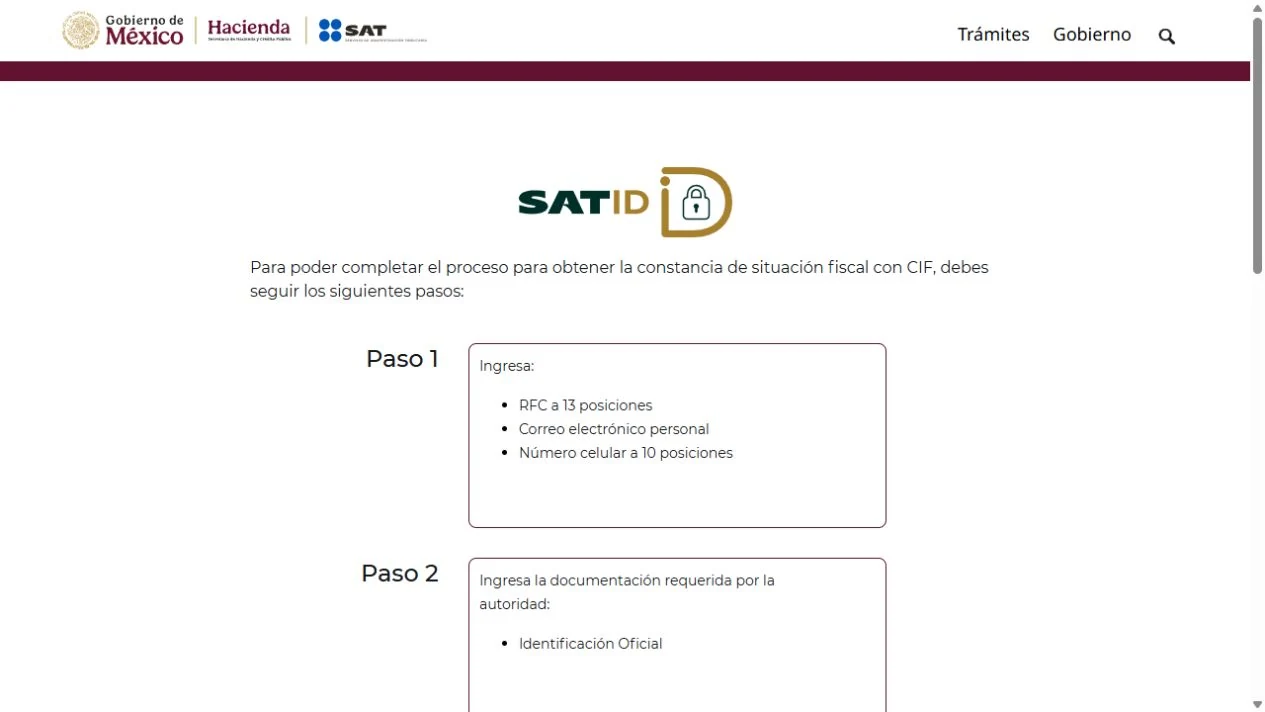
SAT ID is available to adult individuals. The request requires:
- RFC;
- personal email address;
- current official identification;
- recorded identity video;
- electronic signature drawn during the process.
SAT ID requires a review, so you will not receive the PDF immediately. Keep your request reference and follow SAT's response. If the request is rejected, check the reason before submitting it again. Record your own identity video and draw your own signature.
Fields to review in the PDF

| Section | Check |
|---|---|
| Identity | RFC, CURP, full registered name and status. |
| Address | Fiscal postal code, state, municipality and address status. |
| Activities | Economic activity, percentage and start date. |
| Regimes | Active regime and effective date. |
| Obligations | Tax, periodicity and start date. |
| Establishments | Registered locations and status, when shown. |
Compare the activity and obligations with how income is currently earned. An old regime or start date can affect returns, withholding and invoicing.
CFDI 4.0 receiver data
For a general CFDI 4.0, the issuer needs:
- receiver RFC;
- registered name or legal name;
- fiscal postal code;
- receiver tax regime;
- CFDI use compatible with that regime and the transaction.
The certificate is a convenient source for the first four fields. The CFDI use depends on the intended transaction and the SAT catalog.
You can copy the necessary details from the certificate without sending the full document. SAT also offers a tax-data card with the RFC, name, postal code and regime.
What the certificate does and does not prove
| It shows | It does not prove |
|---|---|
| Data registered under the RFC. | That all tax returns were filed. |
| Active regimes and obligations. | That tax payments were made. |
| Fiscal postal code and address data. | Ownership or occupancy for every private procedure. |
| Activity and effective dates. | Deductibility of an expense. |
| RFC status on the document date. | A positive tax-compliance opinion. |
A lender, employer or customer may request other documents for its own onboarding process.
How to correct an outdated or incorrect field
To correct your official record, submit the appropriate update or clarification to SAT and generate a new certificate afterward. Choose the procedure for the field that needs changing:
| Problem | Procedure to review |
|---|---|
| New or discontinued activity, regime or obligation | Notice updating economic activities and obligations. |
| Changed tax address | Tax-address change notice and required proof. |
| Name, CURP or identity discrepancy | RFC identity-data correction procedure. |
| Invoice contains correct RFC record but wrong receiver data | Issuer's CFDI correction and cancellation process. |
The notice for a change in economic activities and obligations is generally due within the month after the change occurs. Confirm the event date and current Anexo 2 procedure file before submitting it.
After an update:
- save the notice acknowledgment;
- generate a new certificate;
- compare the changed fields and effective date;
- review whether earlier CFDI or returns are affected;
- notify invoicing, payroll or accounting staff who use the data.
If an invoice is rejected, ask the issuer for the exact error message and compare the entered details with your record. Do not change your tax regime simply to get an invoice accepted.
Sharing and security
The certificate contains personal tax information. When sharing is required:
- send the PDF, never SAT credentials;
- confirm the recipient and purpose;
- redact unrelated data only if the receiving process permits it;
- use a controlled file link or protected channel;
- remove copies from public or temporary folders;
- retain a dated internal copy.
No legitimate CFDI issuer needs the taxpayer's e.firma private key or Password to capture receiver data.
Frequently asked questions
Is the certificate the same as the tax-compliance opinion?
No. The certificate shows RFC registration data. The opinion reports compliance status under rule 2.1.36.
Can I obtain it without Password or e.firma?
An adult individual can use SAT ID with identification, email, video and signature, or request assistance at a SAT office with official ID.
Does an invoice issuer need the full certificate?
The required receiver data are RFC, registered name, fiscal postal code, regime and CFDI use. The full PDF is not itself a CFDI requirement.
What if the regime in the PDF is wrong?
Confirm the actual activity and effective date, then use the economic-activities and obligations update procedure. Review any affected filings or CFDI after the change.
Official sources
- SAT: generate your tax-status certificate.
- SAT: obtain the certificate through SAT ID.
- SAT: tax-data card.
- SAT: CFDI 4.0 receiver data.
- SAT: Anexo 20 invoice format.
- Chamber of Deputies: Federal Tax Code.
Read the certificate as a configuration check
After downloading the certificate, compare its activities, regimes, obligations and addresses with the way the person currently earns income and issues CFDI. If something no longer reflects the operation, document the discrepancy before attempting an update so the change has a clear reason and effective date.