

The e.firma becomes urgent just when you need it: for procedures, filings, clarifications, refunds, certificates, or access. That’s why renewal shouldn’t be handled as an emergency.
Choose the route from the certificate status
If the e.firma is still valid, renew it before expiration through the official SAT process and keep the new acknowledgment. If an individual certificate expired no more than one year ago, check whether the SAT ID route applies; otherwise plan an in-person appointment. Back up the new .cer and .key files separately and never share the private-key password.
The SAT maintains the process to renew the e.firma certificate. Beyond the portal, the company or individual must take care of who safeguards the files, what password is used, when it expires, and what happens if the legal representative is unavailable.
What to check first
- Expiration date of the e.firma certificate.
- Availability of the .cer file, private key .key, and password.
- Email and phone associated with SAT contact methods.
- Name of the internal person responsible who can manage the renewal.
- Upcoming procedures that depend on the e.firma.
Risks of waiting
| Risk | Operational consequence |
|---|---|
| Unable to sign procedures | Clarifications, refunds, or certificates are halted. |
| Lost files | In-person attention or recovery may be required. |
| Representative unavailable | The company loses the ability for quick management. |
| Unknown password | Time is lost validating or restoring access. |
Preparation process
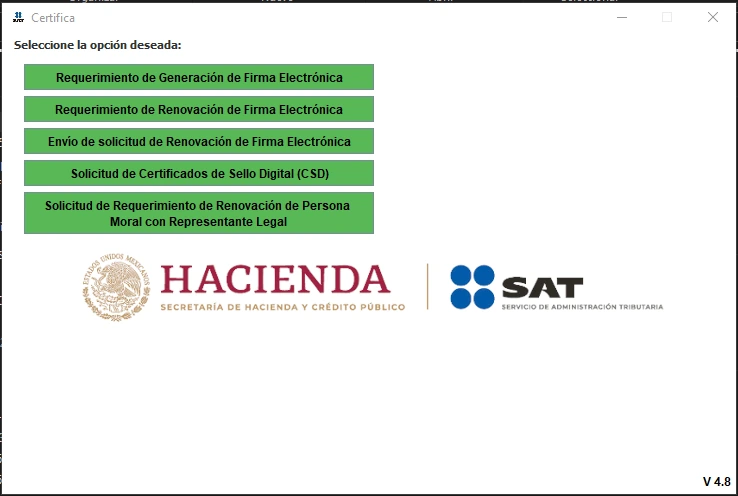
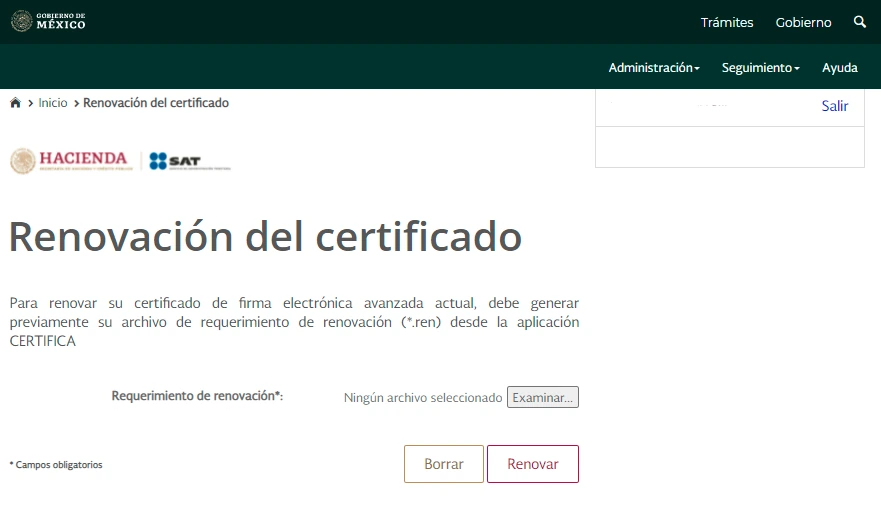
- Locate current files and save them in a secure repository.
- Validate expiration and pending procedures within the next 90 days.
- Confirm if renewal can be done online or requires in-person attention.
- Prepare identification, powers of attorney, or representative documents if applicable.
- Record the renewal in the tax folder with date, receipt, and responsible person.
Do not share files without control
The e.firma allows performing significant tax acts. Safeguarding must be limited, documented, and have clear responsible parties.
How Fintax can help
Fintax can help you check expirations, organize tax files, and prepare the renewal without stopping procedures. It can also separate what depends on e.firma, what depends on CSD, and what requires an appointment.
Official links to complete the task
Open official services from a new browser tab, confirm the taxpayer and period, and save the resulting acknowledgment or evidence with the case.