
Canceling a CFDI should not be a quick fix button. Each cancellation can affect income, VAT, collections, client, accounting, and bank reconciliation.
Close the full cancellation trail
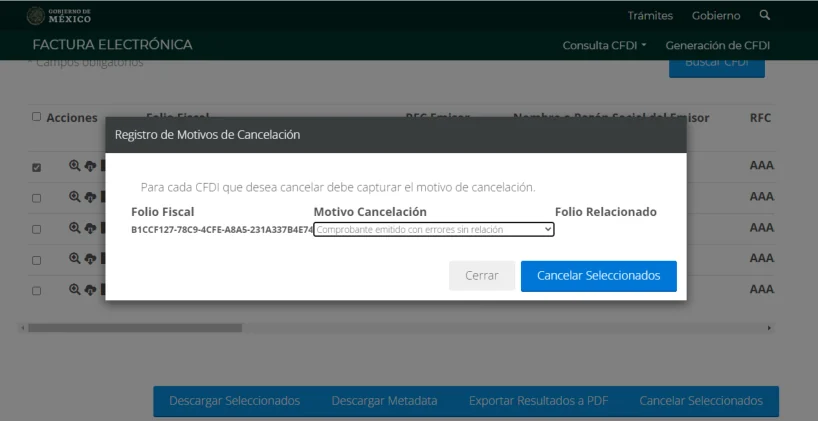
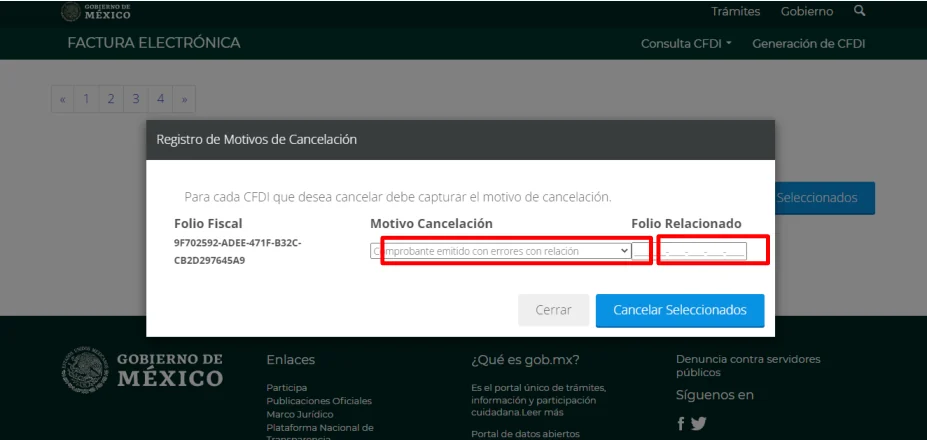
Before canceling, confirm whether the transaction existed, which cancellation reason applies, whether a replacement CFDI is required and whether recipient acceptance applies. Afterward, verify the status of both documents and keep the request, acknowledgment and accounting note together. The task ends when invoice, collection and ledger agree again.
The SAT maintains information about the cancellation scheme. For the company, the practical question is which document supports the cancellation and how it connects with the new invoice, payment, and accounting.
When to review before canceling
| Case | Question before canceling |
|---|---|
| Data error | Does it require replacement or just documentary correction? |
| Client requested change | Is there authorization and correct tax data? |
| Partial payment | Is there a related payment complement? |
| Duplicate invoice | Which CFDI remains valid and which is canceled? |
Cancellation checklist
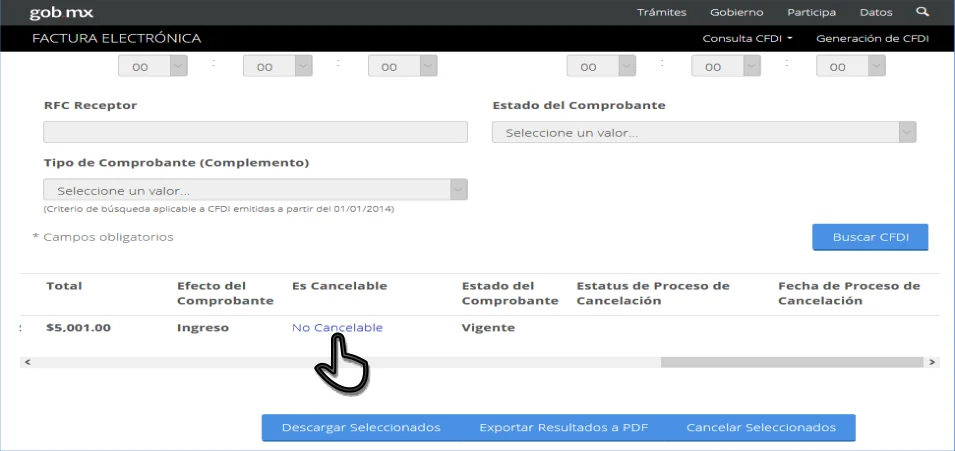
- Identify folio, client, amount, date, and reason.
- Confirm if a replacement invoice is needed.
- Notify the client when acceptance or follow-up is necessary.
- Keep cancellation receipt and replacement CFDI when applicable.
- Update collections, banks, VAT, and accounting entries.
Do not cancel without reconciliation
If the CFDI already has payment, complement, credit note, or accounting record, canceling without review can create discrepancies greater than the original error.
Minimum evidence
| Document | Use |
|---|---|
| Original CFDI | Identify the corrected operation. |
| Cancellation reason | Explain the fiscal and operational reason. |
| Replacement CFDI | Maintain traceability of the operation. |
| Receipt | Show date and result of the cancellation. |
| Reconciliation | Align banks, collections, VAT, and accounting. |
Before closing the case
- Confirm that sales and collections know which CFDI remains valid.
- Check if the client accepted or rejected the cancellation when applicable.
- Update internal reports so they do not include the canceled CFDI.
- Keep the relationship between canceled invoice, replacement invoice, and payment.
- Mark the affected fiscal period to review VAT and income.
How Fintax can help
Fintax can help you review cancellations before executing them, organize receipts, and reconcile the effect on income, VAT, collections, and accounting. The goal is to correct without breaking the tax file.
Official links to complete the task
Open official services from a new browser tab, confirm the taxpayer and period, and save the resulting acknowledgment or evidence with the case.